GUI testing for Qt devices that can't fail.

Automated tests on the real hardware. Reports ready for your technical file.

Modern tooling for growing complexity. Plain Python. Live Qt objects. Any target.

Activities Mon 9:41
testudos-config.json — Visual Studio Code
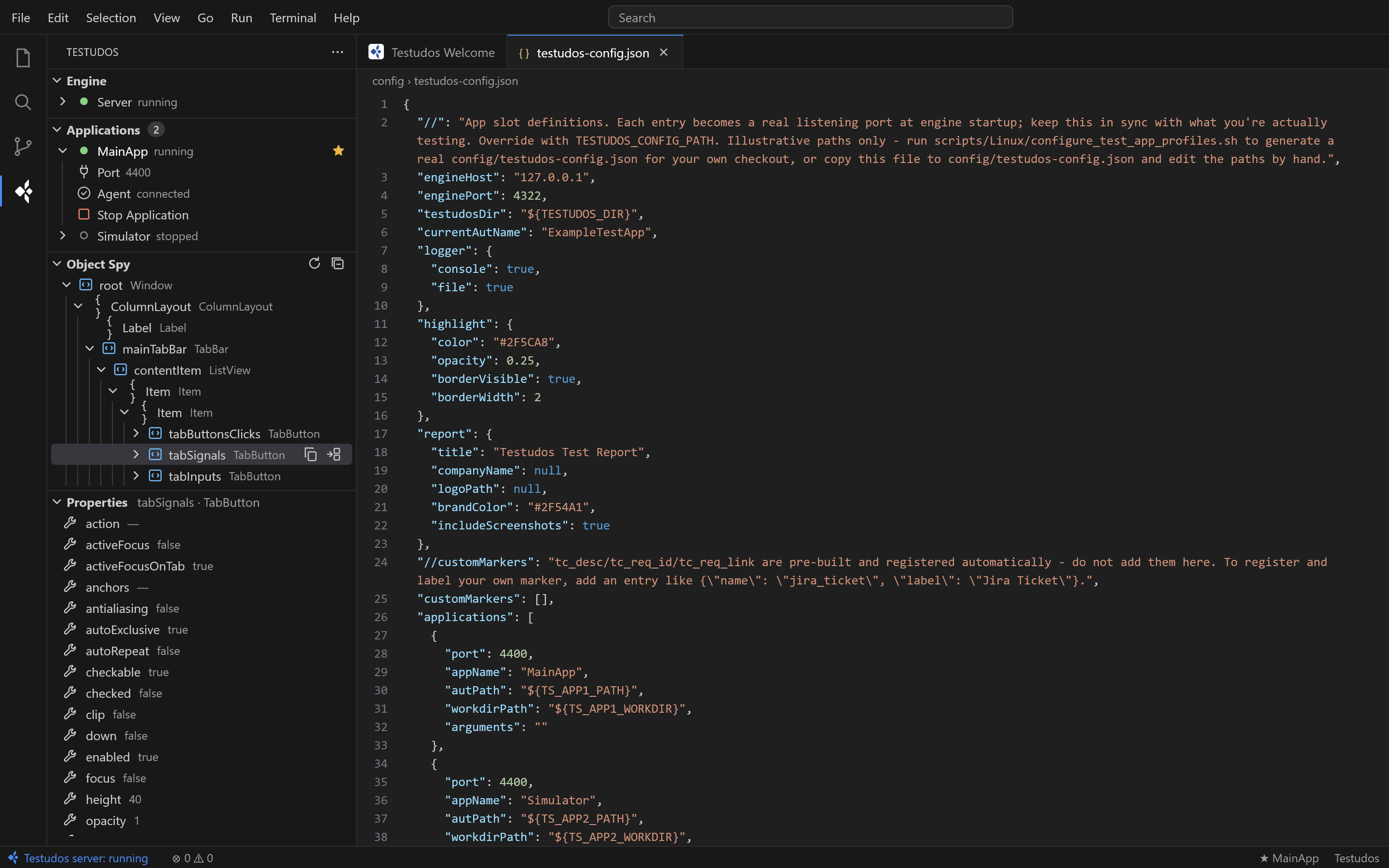
Visual Studio Code with the Testudos extension: engine status, applications, object spy and properties
Testudos
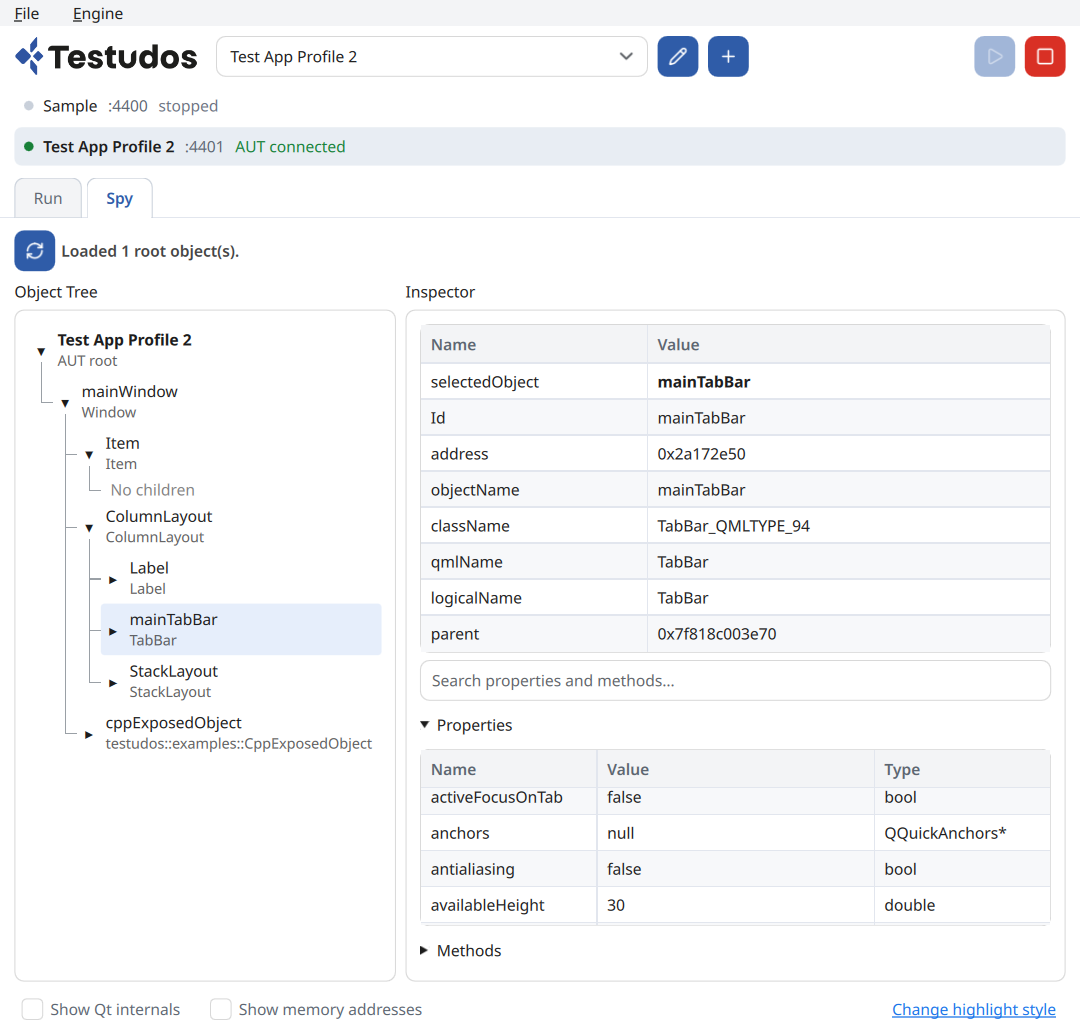
Testudos desktop app showing the object tree and inspector
Infusion UI · under test
VTBI
250mL
RATE
125 mL/h
Confirm bolus 2.5 mL?
Cancel Confirm

A smart investment for software that has to last.

What Testudos can do.

01
Deep Qt access
Two-way access to the live object tree, properties and signals. Qt Quick, Widgets and hybrid apps.
02
Rich Python API
Find objects, get and set properties, catch signals, simulate input and compare screenshots. Tests are standard pytest.
03
CLI-first
One command runs all tests or just the ones you pick. Headless, scriptable and ready for any CI pipeline.
04
Compliance-ready reports
PDF, JSON and HTML records, traced to requirements.
$ testudos run tests/
==================== test session starts ====================
platform linux -- Python 3.12.3, pytest-8.3.2
target: i.MX 8M Plus · Qt 6.8.2 · Agent connected
collected 42 items

test_alarms.py ........                     [ 19%]
test_bolus.py .........s..                  [ 47%]
test_settings.py ......................       [100%]

report: reports/2026-10-12/report.pdf
        reports/2026-10-12/results.json

========== 41 passed, 1 skipped in 187.42s ==========

How Testudos works.

Two parts talking in both directions. Your application stays exactly as it is.

CONTROLLED FROM
GUI app CLI pytest
↓
Engine
Runs your tests, manages app sessions and writes the reports. On your desktop or CI server.
commands
▶
◀
signals, state, object tree
YOUR QT APPLICATION · unchanged
Agent
A small library injected at launch. Desktop or ARM target.
QML Widgets QObjects
No source changes, no rebuilds, no special test builds. How it works in detail →
[CUSTOMER QUOTE — e.g. how fast CI integration was and how test reports went straight into compliance documentation.]
[Name Surname] [Role] at [Company]

Where a UI bug is a hazard.

Talk to us about your device →
Infusion · monitoring · diagnostics
Medical
Clusters · infotainment · EV charging
Automotive
HMIs · machinery · test equipment
Industrial
Ground control · payload operation
Drones & UAV
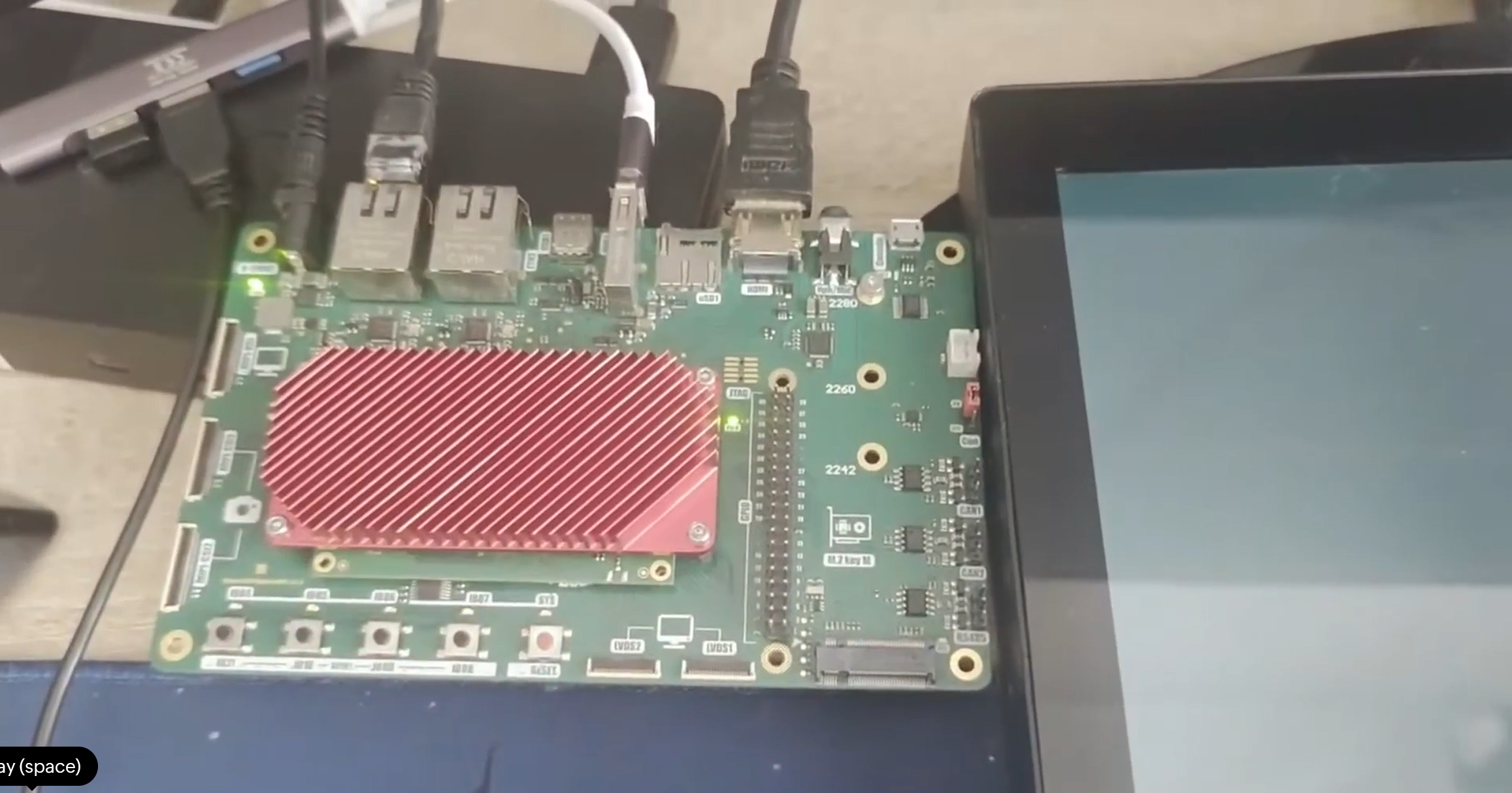
Testudos testing a Qt application on an ARM development board connected to a touch display
Agent running on target

Your desktop build passes. Does the device?

Different GPU, different fonts, different timing. Testudos runs your tests against the real ARM board and the real display, so you catch what only shows up on target.

Agent on the board
A small library inside your app on the ARM target. Nothing else to install there.
Engine and tests stay home
Write and run pytest on your workstation or CI server, over the network.
Same tests, every target
One suite for desktop and device. No second framework for embedded.
ARM builds are available on Pro and Enterprise plans. See pricing →

Ready for any safety-critical UI.

Testudos test suites help you achieve compliance with:
IEC 62304ISO 13485ISO 14971IEC 62366-1EU MDRFDA QMSRIEC 61508
IEC 62304
System test evidence
Repeatable runs, recorded per release.
Traceability
Requirement-linked tests
Every test mapped to SRS and risk-control IDs.
Audit trail
Who ran what, when
Versions, targets and results captured automatically.

Reports your auditor will actually read.

PDF for the technical file. JSON for your ALM. Versions, targets and requirements captured automatically.

TER-2026-0412 · REV A
System test report
Infusion UI 3.4.1
42/42
tests passed
31/31
requirements
Prepared ________ Approved ________

Enterprise-grade. Without the enterprise overhead.

Legacy GUI testing tools
Proprietary workflows
Lengthy onboarding
Generic reports
Enterprise pricing
Plain Python
First test in hours
Audit-ready records
From €890 per seat
See pricing →
MCP SERVER

AI writes more code. QA has to keep up.

Teams ship more code with AI than ever, and every change still needs verifying. Testudos exposes your running app to an AI agent over MCP, so the agent works from the real object tree, not from expensive guesses based on a screenshot. When an interaction works, keep it as a pytest test.

# expose a running application to an agent
$ testudos mcp --port 4242
See what is on screen
object_tree · find_objects
Read it back
get_property · screenshot
Act as a user
click · type_text · key_press
Wait, not sleep
wait_for_property · wait_for_signal

Test your device in 30 days.

Free evaluation with support from the engineers who build it.