Testudos features.
What Testudos does and how it works under the hood.
What Testudos is
Testudos is a GUI test automation tool for Qt applications. It drives your real application the way a user would and verifies it from the inside, through Qt's own object model.
Tests are plain pytest.
Standard Python your engineers already write. Fixtures, parametrization, markers, plugins and your existing CI reporting all work as usual.
Extend with any Python.
Check a database, read a log, call a REST service, talk to a serial port or a hardware simulator, all in the same test that drives the UI.
| Area | Supported | Status |
|---|---|---|
| Operating system | Windows 11 | Supported |
| Operating system | Linux, various distributions | Supported |
| Architecture | ARM builds | On request |
| Qt version | Qt 6.8 and every later 6.x | Supported |
| Qt version | Qt 5.15 and other versions | On request |
How it works: Engine and Agent
Testudos is built from two parts that talk to each other in both directions. No changes to the application under test are required.
Engine
The orchestrator. It starts or attaches to applications, sends commands, runs your pytest suites and gathers results. You control it from the desktop GUI or from the CLI.
Agent
A dynamic library injected into your application. It listens to Engine commands, dispatches real Qt events, reports signals back and exposes the live object tree for inspection.
GUI or command line
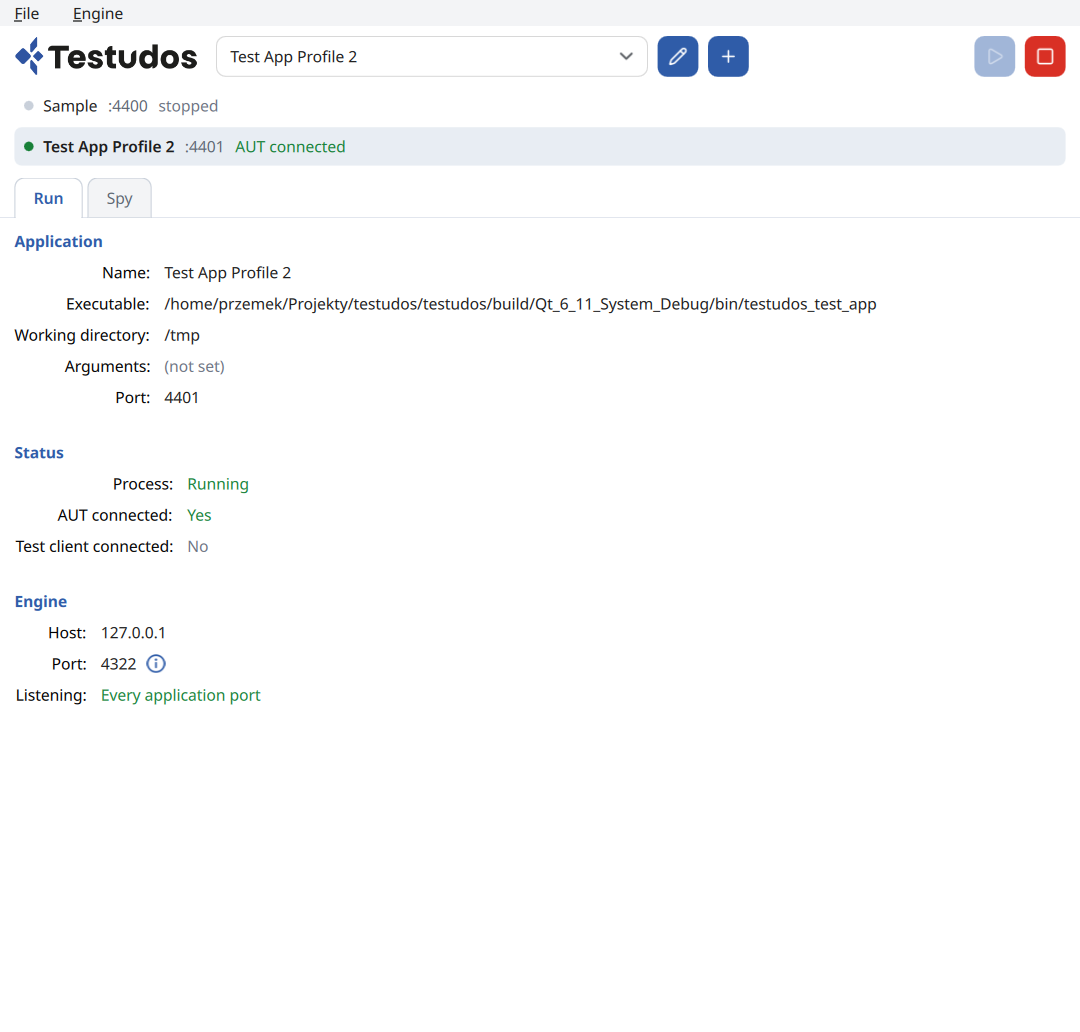
Use the desktop app to set up application profiles and watch sessions. Use the CLI to run suites locally or headless in CI.
# run the whole suite
$ testudos run /path/to/tests
============================= test session starts ==============================
collected 42 items

test_alarms.py ........                                           [ 19%]
test_bolus.py .........s..                                        [ 47%]
test_settings.py ......................                             [100%]

=================== 41 passed, 1 skipped in 187.42s ===================
import pytest
from testudos import App

# find by objectName, by type, by property or by path
def test_bolus_requires_confirmation(app: App):
    dose = app.find("doseInput")
    dose.set_property("text", "2.5")

    with app.expect_signal("pump", "bolusRequested"):
        app.find(type="Button", text="Start bolus").click()

    dialog = app.wait_for("confirmDialog", visible=True)
    assert dialog.property("summary") == "2.5 mL"
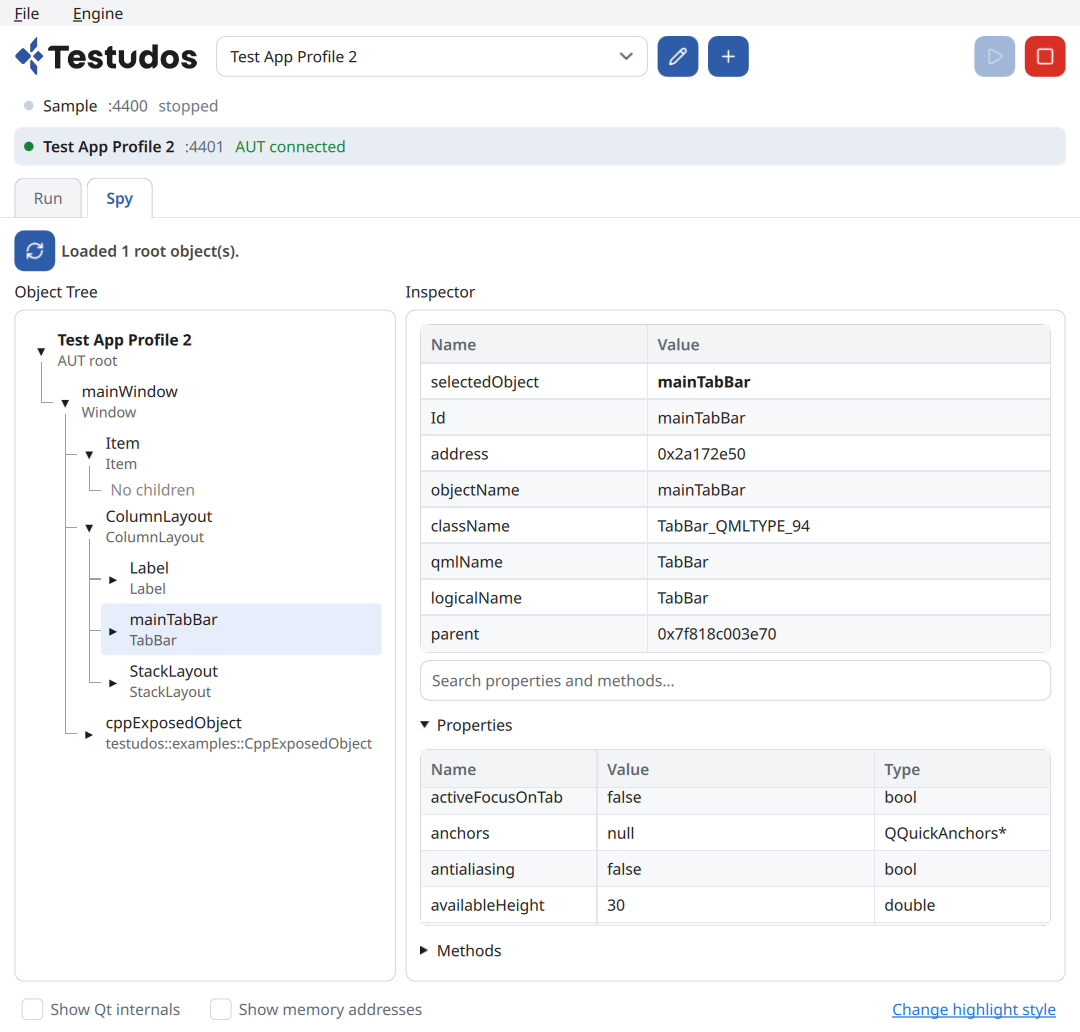
Inspector
Look under the hood of your running app. Browse the live object tree, select any item and read its properties, types and methods. Search instead of guessing, then copy what you need into a test.
Compliance-ready reports
Every run produces a record you can file, parse or share. Tool version, application build, target and results are captured automatically.
AI writes more code. QA has to keep up.
Teams ship more code with AI than ever, and every change still needs verifying. Testudos exposes your running app to an AI agent over MCP, so the agent works from the real object tree, not from expensive guesses based on a screenshot. When an interaction works, keep it as a pytest test.
Multiple applications at once
One Engine can drive several applications in a single test. Ideal when your product is a system of cooperating apps, or when you test the UI together with a hardware simulator.
Persistent app sessions
Attach to an application that is already up, for example one started by a launcher, a service or a long boot sequence on the target.
Leave the app open when a test ends, to inspect the final state, debug a failure or chain the next suite without a restart.
Testing backend QObjects
Not everything worth testing is on screen. If your C++ classes are registered with Qt's meta-object system, their objects are visible to Testudos: read and set properties, call invokable methods and wait for signals.
class PumpController : public QObject {
    Q_OBJECT
    Q_PROPERTY(double rate READ rate
               NOTIFY rateChanged)
public:
    Q_INVOKABLE void stop();
signals:
    void rateChanged();
};
def test_stop_resets_rate(app):
    pump = app.find("pumpController")
    pump.invoke("stop")
    assert pump.property("rate") == 0
For writing, debugging and running tests. A seat is one concurrent user, not a named person: anyone on the team can use Testudos, the number of seats limits how many at the same time.
For executing prepared tests headless in CI pipelines or on dedicated test machines. One runner license per parallel execution.
Seats and runners are checked out from the Testudos license server over the internet. Nothing to install or maintain.
Run the license server inside your own network, including offline and air-gapped labs. No outbound connection needed for day-to-day use.
Known limitations
We would rather tell you up front. Ping us and we will keep you posted on timelines.
macOS In development
Support for macOS is in development. Contact us and we will share the current timeline.
Android In development
Support for Android targets is in development. Contact us and we will share the current timeline.
iOS In development
Support for iOS targets is in development. Contact us and we will share the current timeline.
Touch gestures Not tested
Multi-touch gestures such as pinch, swipe and long-press have not been validated yet. Single taps and clicks work.
3D items Not tested
Qt Quick 3D scenes and 3D items have not been validated yet. If your UI relies on them, talk to us before you buy.